

share, and discover the largest photo-sharing app
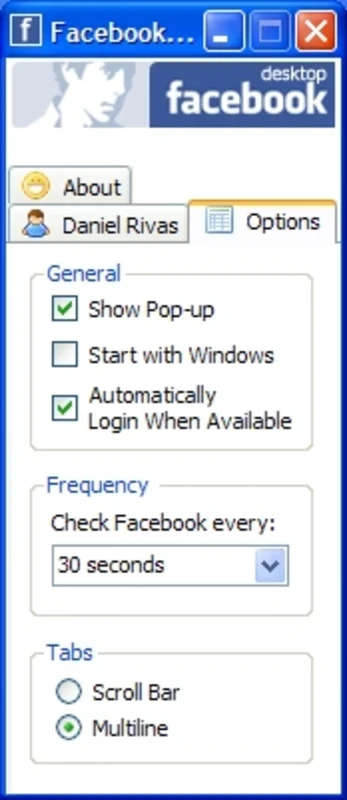
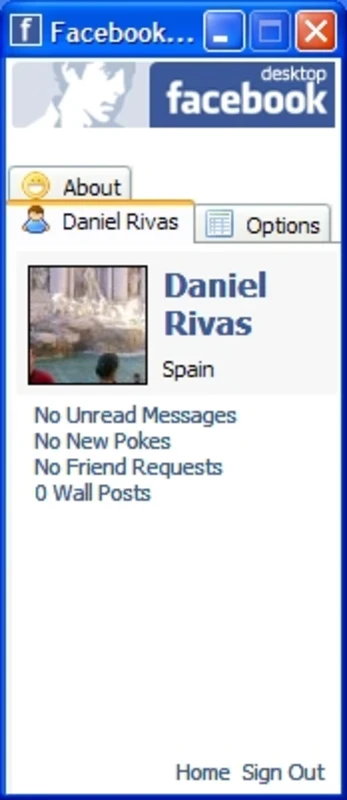
Facebook Desktop is the official version, offering an easy and smooth Facebook experience on your big screen. Here, you will find a familiar interface with received messages, pokes, friend requests, and messages on your wall as well. It also keeps up to date with all new changes offered by the developers.
You can run Facebook on your Windows PC using the dedicated browser, but it feels a little slow with a dated design, making the use of Facebook difficult and cumbersome. However, with the desktop version, everything will be easily accessible, navigate faster, and be more customizable.
What is Facebook Desktop?
Facebook, owned by Meta, is the world’s largest and most popular social sharing app, keeping billions of users connected across the world. It is officially available for multiple digital devices, including Android, Windows, iOS, tablets, and macOS. So you will find your communication with the desktop version more immediate, smooth, and reliable.
It gives quick access to your feed, groups, and messages within a unified interface, delivering a streamlined and platform-agnostic social experience. It offers a distraction-free connection with your friends, replacing browser tabs with a dedicated app.
Facebook Desktop Features
Minimalist Interface
The minimalist interface with adaptability proves to be the best solution for users who want easy access to updates. When you log in to the app, it automatically selects dark or light mode as activated on your entire system by default. The app’s accessibility feels a little bit limited, compared to browser extensions or expect native-level integration. However, it is the best choice for users who prefer efficiency over customization.
Required Permissions
You have to allow a comprehensive set of permissions, as the app requires permissions for accessing local hardware services, such as location detection, Windows contacts, calendar data, webcam, access to the internet, microphone, picture library, appointments, and video library. It is reliably available for both, using a keyboard and mouse, or a fully optimized touch interface.
Organized Feed
It is one of the core features, where you can view posts uploaded by others and new updates from the pages you have followed. This part of the app is highly customizable, as it is possible to personalize it chronologically and let the app apply its algorithm to show posts according to scrolling habits. In this way, you can stay updated on whatever you want to know.
Latest Updates
The Windows version has a lot of new updates as well as improvements, focusing on performance refinements and notification reliability. You can add new updates through the Microsoft Store, improving startup speed, minimizing crashes, and other issues related to messaging synchronization, and improving compatibility with new Windows versions. Moreover, the developers also help to handle refined notification, ensuring the appearance of alerts in the Windows Action Center more consistently. Improve the dark mode readability and scrolling responsiveness while tweaking the UI.
Privacy Controls
It is another significant feature, allowing users to personalize their profile and privacy settings according to their preferences. In this way, you can limit access to your posts and other personal information. It also supports a password-protected profile, preventing unauthorized access to your personal information. It will help you to maintain your online presence.
Improved Performance
Facebook Desktop offers improved performance on the big screen, from scrolling to profile adjustments. However, the performance varies on different system hardware. So, on a modern PC, you will find smooth scrolling and navigation, and a dedicated window offers multitasking. It offers pinned taskbar icons and quick launching for the convenience of a native desktop, ensuring quick and smooth accessibility. However, the reinforcement of multiple web technologies and background resource usage can cause high resource consumption, compared to other social media platforms.
Seamless Media Sharing
Similar to the mobile version, you can also share your posts using text, videos, and photos as well. You can also upload your daily activities on ‘Stories’, selecting from the top of your feed. You can use the innovative feature for staying in touch with your local as well as international community. In addition, the app is having English language by default and also offers more than 30 international languages, such as Portuguese, German, French, Russian, Japanese, Italian, and Chinese.
Multi-tab Support
The app is divided into three main tabs, such as;
Info Tab: it is embedded with your personal information, such as location that includes country, city, latitude, and longitude, and weather of your location.
Facebook Tab: is for displaying hyperlinks to shares, messages, pokes, friend requests, and notifications.
Browser Tab: On clicking a hyperlink, you will be directed to the Browser tab to open it. You are capable of uploading a status, mislabeled as a “Message”, using the Facebook tab.
Pros
- Offers convenient and smooth scrolling on the big screen
- Sends real-time notifications to Windows Action Center
- Simple, minimalist, and adoptable interface
- Customizable feeds with rich media sharing capability
- Supports instant messaging capability
- Cross-platform compatibility
Cons
- Uses high system resources
- New features are limited
- Lack of web-based performance